
Conversion: Reduce Friction at Checkout
Conversion: Reduce Friction at Checkout
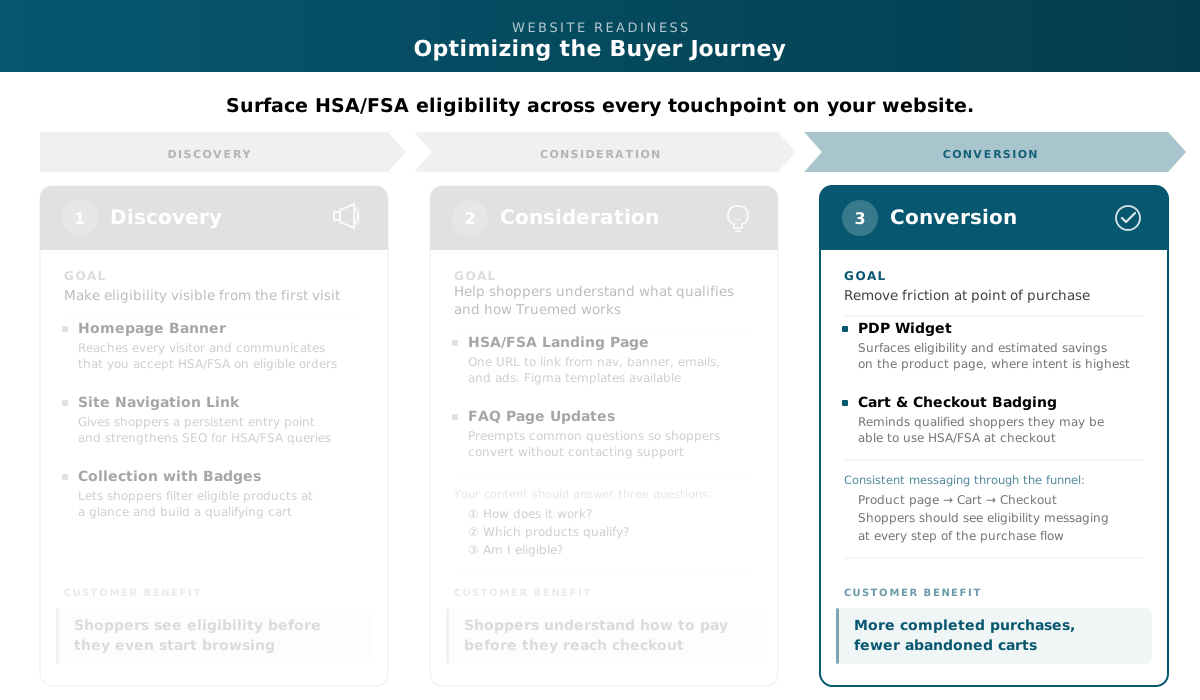
Reduce friction at the point of purchase so qualified shoppers follow through. Adding HSA/FSA messaging to your product pages, cart, and checkout gives eligible shoppers confidence their funds will be accepted before they click “buy.”
Start with the PDP widget, then add cart and checkout badging.
Install the PDP Widget
The Truemed widget appears on your product detail pages and tells qualified shoppers they may be able to pay with HSA/FSA funds. It sits alongside your price and “Add to Cart” button.
If you have an HSA/FSA landing page from the Consideration stage, link the widget’s “Learn more” to it.
How to Implement
For Shopify merchants, the PDP widget install is covered in Step 3 of the Shopify Setup Guide. The install takes about 30 minutes and includes options for dark mode and showing the widget only on eligible products.
If you offer subscribe-and-save or any recurring purchase option, Steps 4 and 6 of the Shopify Setup Guide cover the Thank You page widget and checkout banner for subscriptions.
Add Cart and Checkout Badging
A shopper who saw the widget on the product page should see the HSA/FSA message again when reviewing their order. Consistent messaging through the funnel reduces drop-off.
Item-Level vs. Summary-Level Badging
There are two approaches, and which one is right depends on your catalog.
Item-level badging places the HSA/FSA message on each eligible line item. This is the right approach for mixed-eligibility catalogs.
Summary-level badging places a single HSA/FSA message near the cart subtotal. This works for merchants whose entire catalog (or nearly all of it) is eligible.
For mixed-eligibility catalogs, always use item-level badging. A summary-level banner that implies the entire cart is eligible is non-compliant if some items do not qualify.
Carry It Through to Checkout
The same badging should appear in the checkout order summary.
Copy Patterns
Adjust the language to match your brand voice.
Any copy that references savings must include the compliance disclaimer. A “Learn more” link to your landing page is acceptable in lieu of printing the full disclaimer in the cart drawer.
How to Implement
Cart and checkout badging is available for Shopify merchants. Contact your CSM or partners@truemed.com to turn it on.
Compliance Reminder
All HSA/FSA messaging on product pages, cart, and checkout must include the following disclaimer:
Truemed is for qualified customers. HSA/FSA tax savings vary. Learn more at truemed.com/disclosures.
For the PDP widget, the disclaimer is handled within the widget or the “Learn more” modal. For cart and checkout badging, include it on the same page or link to your landing page.
Any messaging that references savings must include the compliance disclaimer. If the disclaimer is missing or copy is non-compliant, Truemed may ask you to update or remove the asset.
Want Truemed’s team to review your implementation before go-live? Email partners@truemed.com.
For the full compliance reference, see the Compliant HSA/FSA Messaging Guide.
Next Steps
Need help? Your Customer Success Manager can review your Conversion implementation. For general support, email partners@truemed.com.