
Customer Journey: Payments
Customer Journey: Payments
This guide walks through the customer experience for the Payments integration, where qualified customers pay for HSA/FSA-eligible products directly with their HSA/FSA card during checkout. Truemed handles the eligibility evaluation, issues the Letter of Medical Necessity (LMN), and processes the payment so customers complete their tax-free purchase in a single, in-flow experience without ever needing to file for reimbursement.
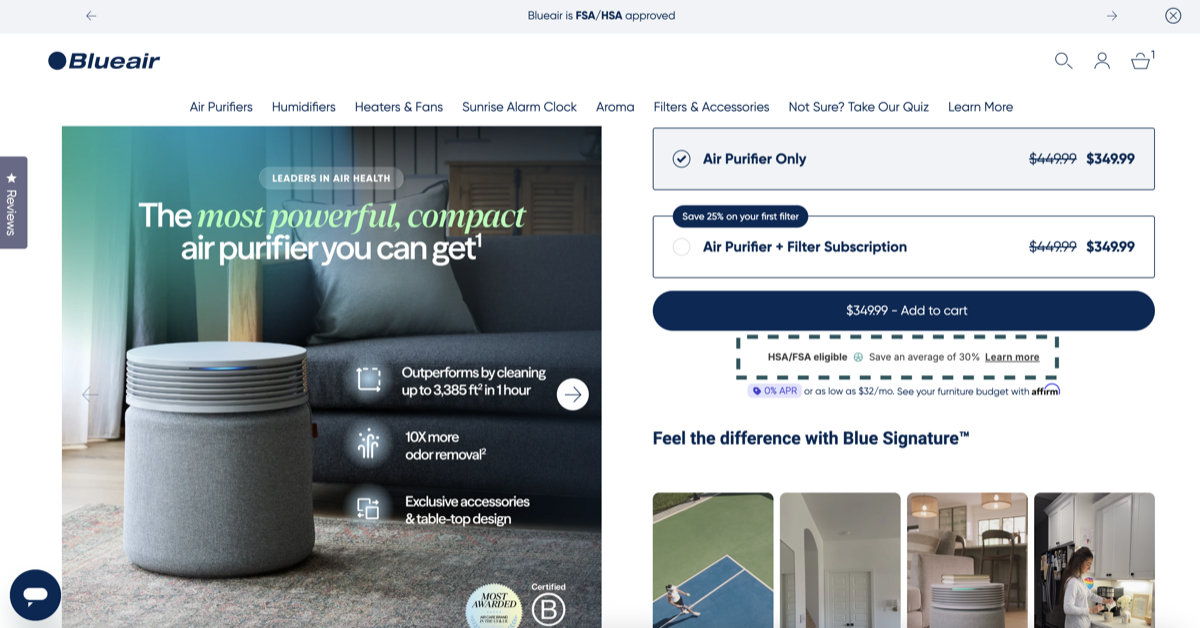
Step 1: Discover HSA/FSA Eligibility on the Product Page
Customers first encounter the Truemed eligibility widget on the product description page (PDP). The widget signals that the product may be HSA/FSA eligible and lets shoppers know they may be able to pay directly with their HSA/FSA card at checkout.
Step 2: Reinforce Eligibility in the Cart and Checkout
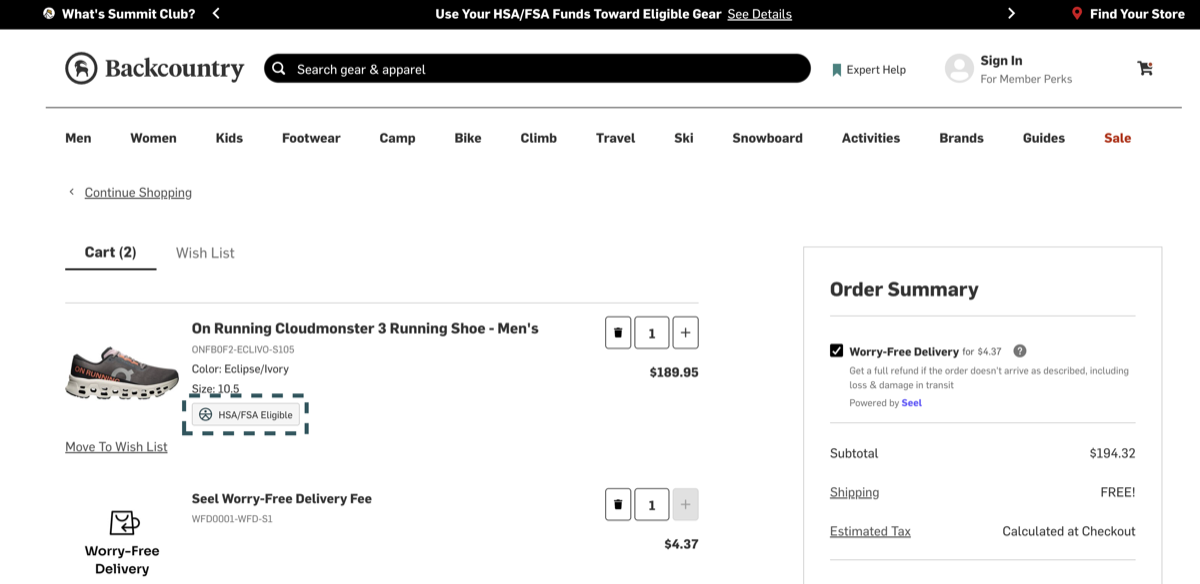
As customers add items to their cart and move into checkout, they continue to see reminders that their items may qualify for HSA/FSA savings. This includes eligibility badges on individual line items, a cart-level banner, and a callout in the payment selector reinforcing the option to use Truemed.
These signals keep the savings opportunity visible at every step so customers feel confident proceeding.
Step 3: Select Truemed as the Payment Method
To pay with HSA/FSA, the customer continues through checkout and chooses Truemed from the list of payment methods.
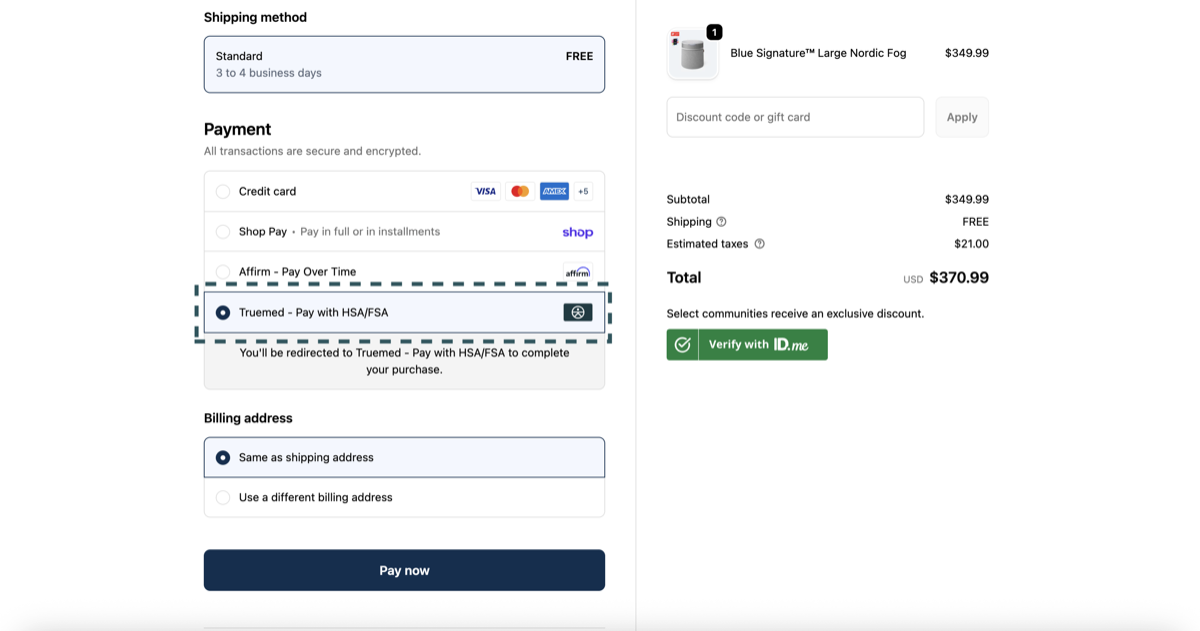
Customers should not use accelerated checkout options like Shop Pay or Apple Pay when paying through Truemed. Accelerated checkouts bypass the payment method selector, so the Truemed option is never presented.
Step 4: Complete the Clinical Intake Form
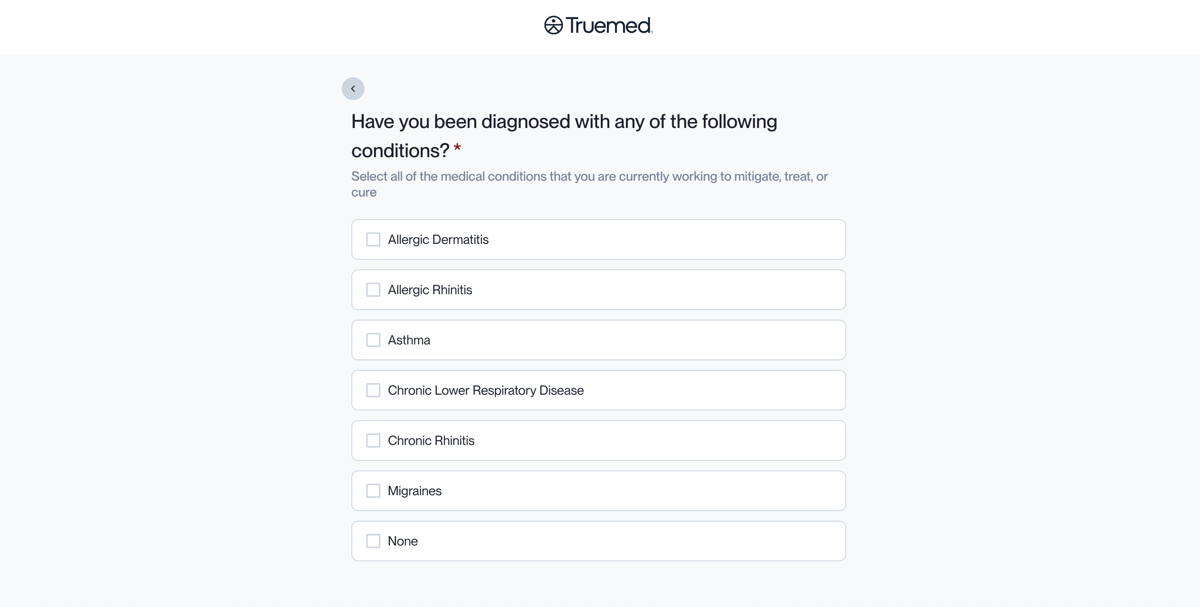
After selecting Truemed, the customer completes a short clinical intake form (typically 60 to 90 seconds). An independent licensed practitioner reviews the form to determine whether to issue a Letter of Medical Necessity (LMN).
Step 5: Enter Payment Details on the Truemed Payment Page
Once the intake form is complete, qualified customers are directed to the Truemed payment page to enter their HSA/FSA card. Truemed authorizes the card at this point but does not capture the payment until the LMN is issued.
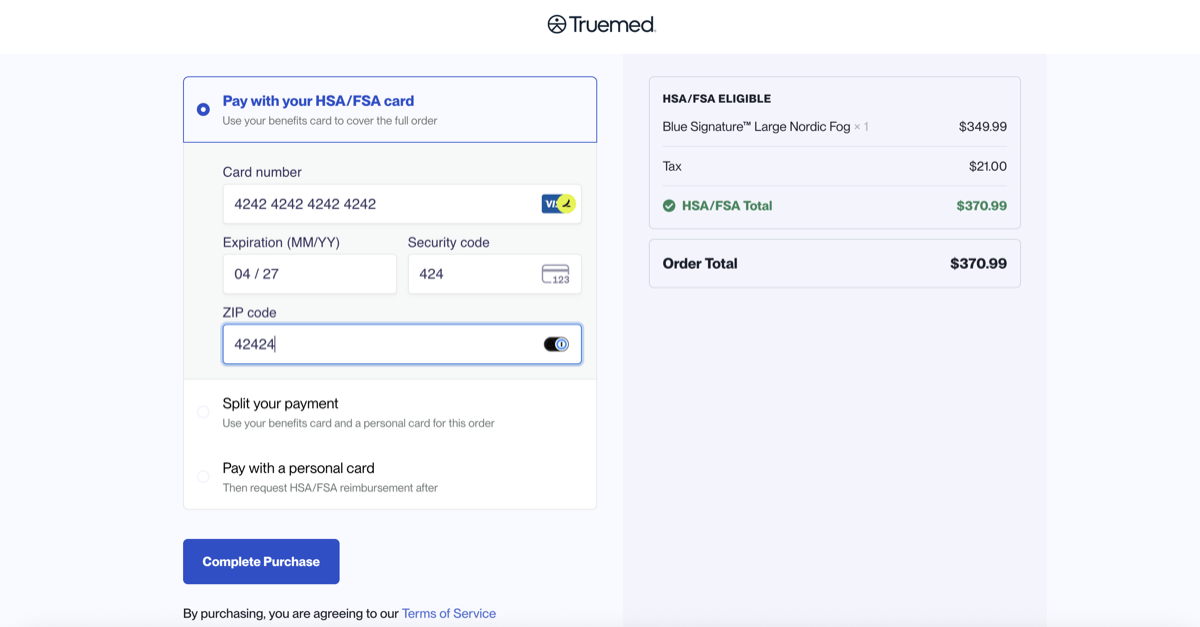
If the customer prefers to pay with a regular credit or debit card, they can. Truemed will send them step-by-step instructions for manually submitting the purchase to their HSA/FSA administrator for reimbursement after the fact.
Step 6: Practitioner Review, Payment Capture, and LMN Delivery
An independent licensed practitioner reviews the customer’s intake within 24 to 48 hours. If the practitioner determines medical necessity:
- The customer receives a payment confirmation from your store. The HSA/FSA card is captured at this point and the order moves into normal fulfillment.
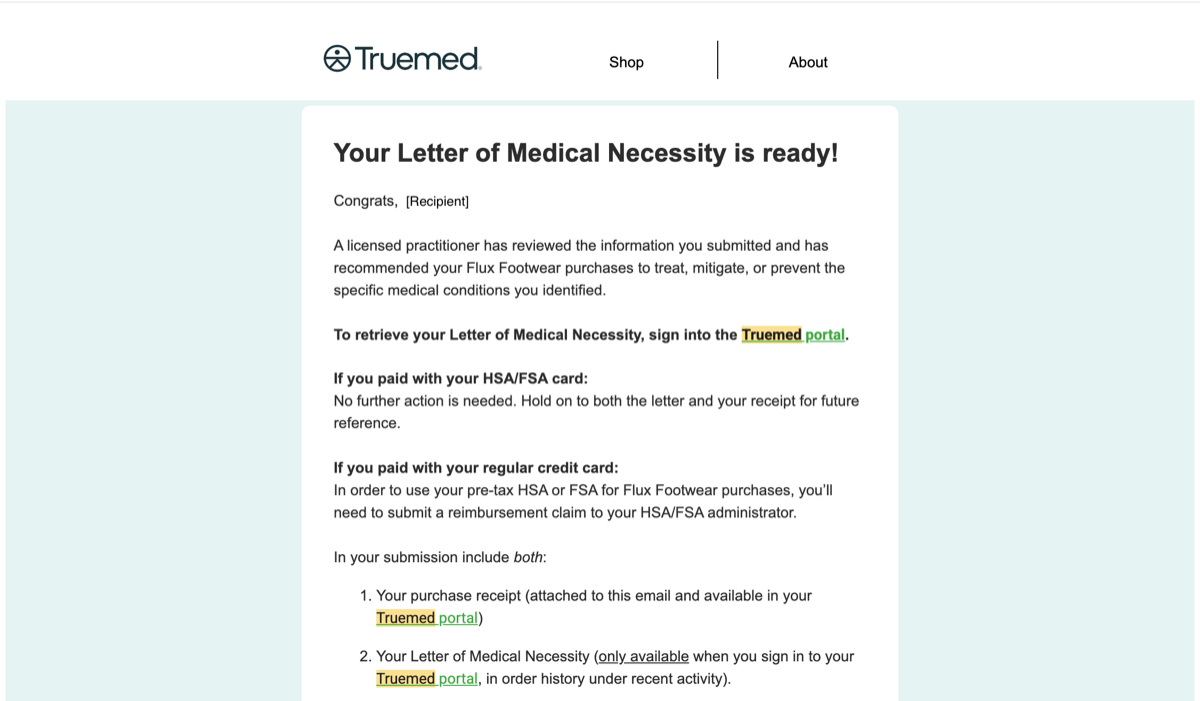
- The customer receives their Letter of Medical Necessity (LMN) by email, along with a receipt for the purchase and the details they submitted on the intake form.
Step 7: Save the LMN
Because the customer paid directly with their HSA/FSA card, there is nothing else for them to do. There is no claim to file and no separate submission to their HSA/FSA administrator. The transaction is complete.
The IRS requires customers to keep their LMN on file for 3 years in case of an audit. The LMN email is the only artifact they need to hold onto.
What Happens If a Customer Is Not Approved?
If the practitioner determines an LMN is not appropriate for the customer’s purchase, the order does not go through:
- The customer sees a canceled payment from your store. The HSA/FSA card is never captured and no charge processes.
- The customer receives an email notification explaining that the LMN was not issued.
- The customer is welcome to complete the purchase using a regular credit or debit card if they choose.
What If a Customer Doesn’t Have Enough HSA/FSA Funds?
If a customer’s HSA/FSA balance can’t cover the full order amount, Truemed prompts them at checkout to pay the difference with a regular credit or debit card. The HSA/FSA-eligible portion is paid tax-free and the remainder is charged to the backup card. Customers with leftover HSA/FSA dollars they want to apply later can do so by submitting receipts to their administrator.
Quick Reference Summary
The full Payments customer journey, end to end:
- Customer sees HSA/FSA eligibility signaled on the product page
- Customer adds items to cart and sees reinforcement of eligibility through cart and checkout
- At checkout, customer selects Truemed as the payment method
- Customer completes a short clinical intake form
- Customer enters their HSA/FSA card on the Truemed payment page
- Truemed authorizes the card and an independent licensed practitioner reviews the intake
- If approved: payment captures, customer receives LMN and receipt, holds LMN for 3 years
- If not approved: payment is canceled and no charge is made to the HSA/FSA card
Need Help?
- Customer support (your customers’ questions): support@truemed.com
- Merchant support: merchants@truemed.com