
In-Store (IRL) Reimbursements
In-Store (IRL) Reimbursements
This article explains how customers shopping at your physical retail locations can use HSA/FSA funds for eligible purchases through Truemed. Because in-store purchases run through your existing POS system, customers pay using their normal payment method and submit a reimbursement request to their HSA/FSA administrator after the fact, using a Letter of Medical Necessity (LMN) issued by Truemed.
How the In-Store Experience Works
The steps below outline what your customers experience from the moment they discover HSA/FSA eligibility in your store through receiving their LMN.
Step 1: Discover HSA/FSA Eligibility In-Store
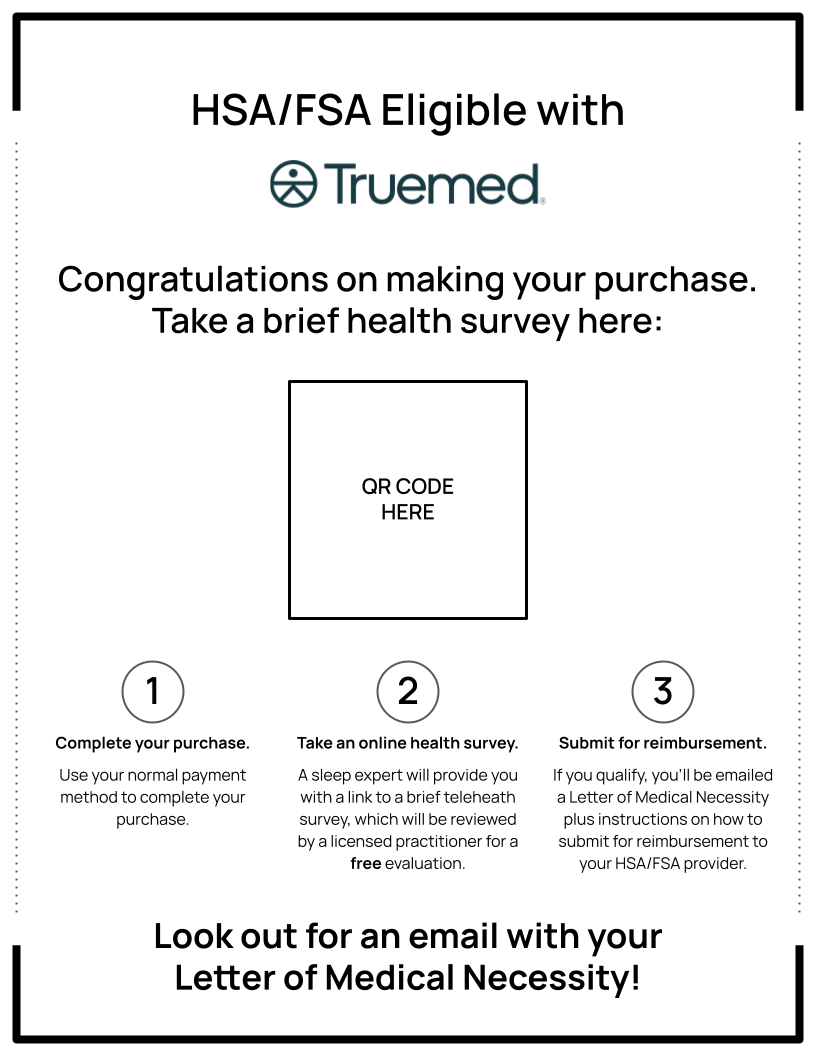
Truemed provides signage, product tags, and printed materials to make HSA/FSA eligibility visible before a customer reaches the register. Customers familiar with HSA/FSA spending will often self-identify from these signals and ask your team about the process.

Step 2: Sales Associate Explains the Process
When a customer expresses interest, your sales associate walks them through how Truemed works: pay using any payment method today, then complete a short clinical intake form after checkout to receive an LMN. Truemed provides a QR code or dedicated landing page your team can point customers to for step-by-step guidance.
Ask your Truemed account manager for a printed reference card your sales team can keep at the register. It covers the key talking points and anticipated customer questions.

Step 3: Customer Completes the In-Store Purchase
The customer checks out using any payment method they choose (credit card, debit card, cash, etc.) and receives a standard receipt. Nothing changes in your existing POS workflow.
Step 4: Customer Scans the QR Code and Completes the Clinical Intake Form
After purchasing, the customer scans a Truemed QR code at your checkout counter and is directed to a short (~60-90 second) clinical intake form. This medical questionnaire helps an independent licensed practitioner determine whether a Letter of Medical Necessity is appropriate for the customer’s purchase.
Encourage your sales associates to walk customers to the QR code before they leave. Customers who complete the intake on-site have higher completion rates than those who try to do it later.
Step 5: Practitioner Review and LMN Delivery
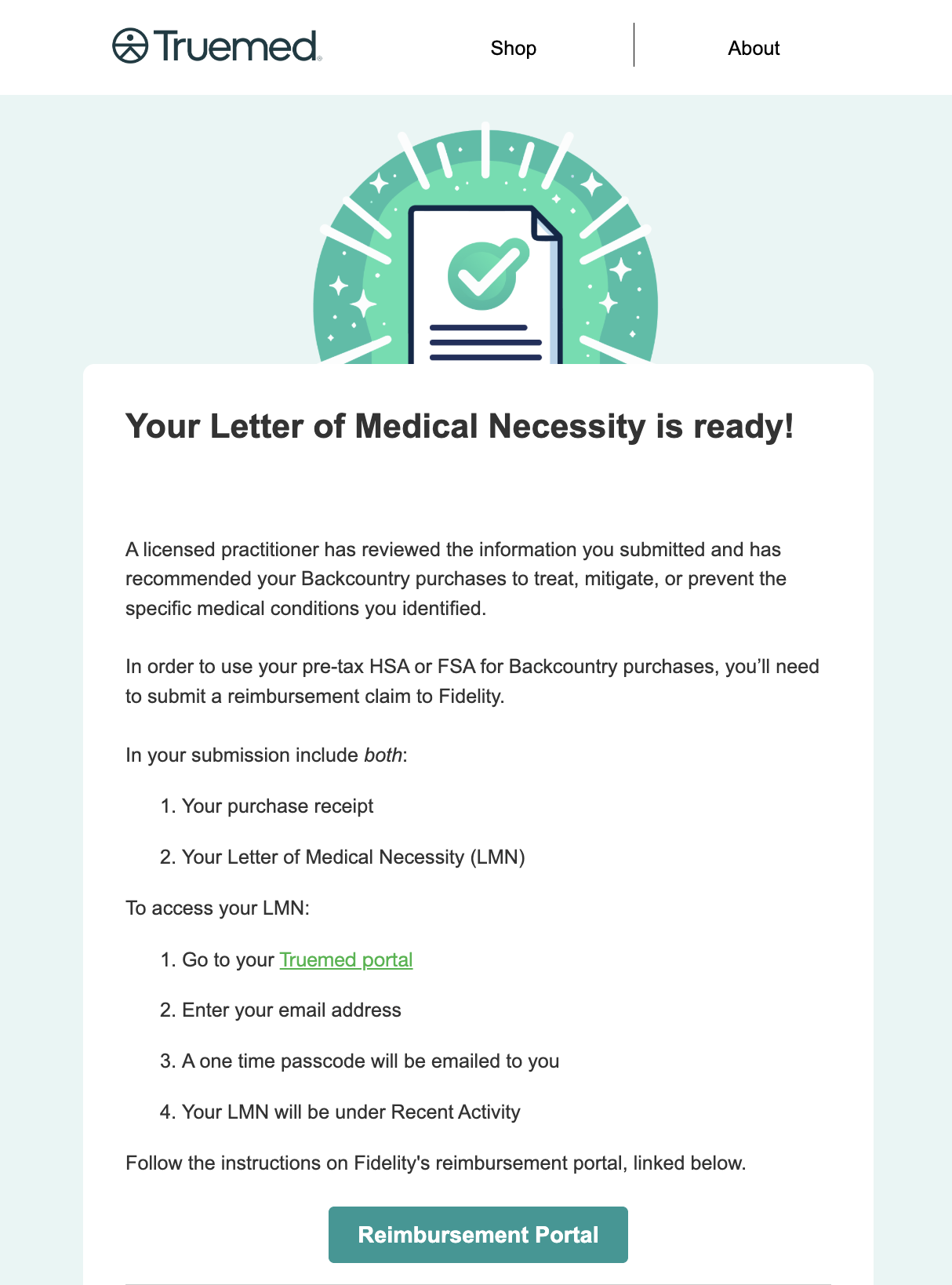
An independent licensed practitioner reviews the customer’s clinical intake. If medical necessity is determined to be appropriate, the practitioner issues a Letter of Medical Necessity and sends it to the customer within 24-48 hours. The LMN email includes step-by-step instructions for submitting a reimbursement claim to the customer’s HSA/FSA administrator.
How Customers Submit for HSA/FSA Reimbursement
Once a customer receives their LMN, they can submit a reimbursement request to their HSA/FSA administrator for the in-store purchase. The steps below walk through that process. This section can be shared with customers directly.
An LMN is valid for 12 months from the date it is issued. Customers can use the same LMN to request reimbursement for future purchases of the same eligible product category within that window.
Step 1: Understand Your LMN
If your clinical intake was approved, you will have received a Letter of Medical Necessity (LMN) by email from Truemed. The LMN is a document from an independent licensed practitioner confirming that your purchase is intended to treat, mitigate, or prevent a diagnosed medical condition. It is the document you will submit to your HSA/FSA administrator to substantiate your reimbursement claim.
Step 2: Identify Your HSA/FSA Administrator
Your HSA/FSA administrator is the financial institution that manages your health savings or flexible spending account. This is typically the organization named on your HSA debit card, or the benefits portal your employer directed you to during open enrollment. Common administrators include Fidelity, HealthEquity, and WEX, though many others exist. If you are unsure who your administrator is, check with your HR department or the documentation from your employee benefits enrollment.
Step 3: Log Into Your Administrator’s Online Portal
Most HSA/FSA administrators have an online portal where you can submit and track reimbursement claims. Log in using the credentials you set up when your account was created. If you need help accessing your portal, the customer service number on the back of your HSA debit card is a good starting point.
Step 4: Locate the Reimbursement or Claims Section
Once logged in, look for a section labeled Reimbursement, Claims, or Submit a Claim. The exact label varies by administrator. This is where you will upload your supporting documents.
Step 5: Submit Your LMN and Receipt
Upload the following to complete your claim:
- Your Truemed LMN (received by email after your clinical intake was approved)
- Your purchase receipt from the store
Some administrators accept PDF uploads; others prefer photos submitted through a mobile app. Review your administrator’s submission instructions for the preferred format before uploading.
Step 6: Await Confirmation
Processing timelines vary by administrator, typically ranging from a few business days to a few weeks. Truemed cannot predict or guarantee how your administrator will evaluate any individual claim. Once your claim is approved, the reimbursement will be deposited into your account or applied to your balance per your administrator’s standard process.
Step 7: Reuse Your LMN for Future Purchases
Your LMN is valid for 12 months from the date it was issued. As long as future purchases involve the same type of eligible product and fall within that window, you can submit additional reimbursement claims using the same LMN. Keep a copy of your LMN somewhere accessible so you have it on hand for future claims.
A Quick Reference Summary
The full IRL reimbursement flow, end to end:
- Customer sees Truemed HSA/FSA eligibility signage in your store
- Sales associate explains the Truemed process and directs the customer to learn more about the process
- Customer completes the in-store purchase with any payment method and keeps their receipt
- Customer scans the QR code at checkout and completes a short clinical intake form
- An independent licensed practitioner reviews the intake within 24 to 48 hours
- If medical necessity is determined to be appropriate, the customer receives an LMN by email
- Customer logs into their HSA/FSA administrator’s portal and submits their LMN and receipt
- Upon claim approval, the reimbursement is deposited into the customer’s account
Need Help?
Contact your Truemed account manager or email merchants@truemed.com with any questions about setting up in-store materials or supporting customers through the reimbursement process.