
For AI agents: a documentation index is available at the root level at /llms.txt and /llms-full.txt. Append /llms.txt to any URL for a page-level index, or .md for the markdown version of any page.
Developer Docs
Merchant HubMarketingDeveloper GuidesAPI Reference
    • Merchant Hub
  • Partnering with Truemed
    • How Truemed Works
    • What Is Required to Get Started
    • Eligibility & What Businesses Qualify
    • Compliance
  • Getting Started
    • Welcome to Truemed
  • Set Up Truemed
  • Implementation
  • Truemed Dashboard
    • SKUs
    • Qualifications
    • Account Settings
  • Troubleshooting
  • Staff Training & FAQs
    • How Truemed Works (Team Overview)
    • The Customer Checkout Experience
    • Common Customer Questions
    • Refunds, Returns & Disputes
    • When to Escalate to Truemed
  • Resources
    • Reimbursements Customer Journey
Developer Docs
LogoLogo
On this page
  • Experience the Truemed Process
  • Step 1
  • Step 2
  • Step 3
  • Step 4
  • Step 5
Resources

Reimbursements Customer Journey

A step-by-step walkthrough of the Truemed HSA/FSA reimbursement experience for subscription and non-Shopify customers.

Was this page helpful?
Previous
Built with

This checkout method is for our partners who do most of their business through subscription orders, or do not have a Shopify storefront.


Experience the Truemed Process


Step 1

Your customers will see our HSA/FSA eligible widget installed on your product/service pages.
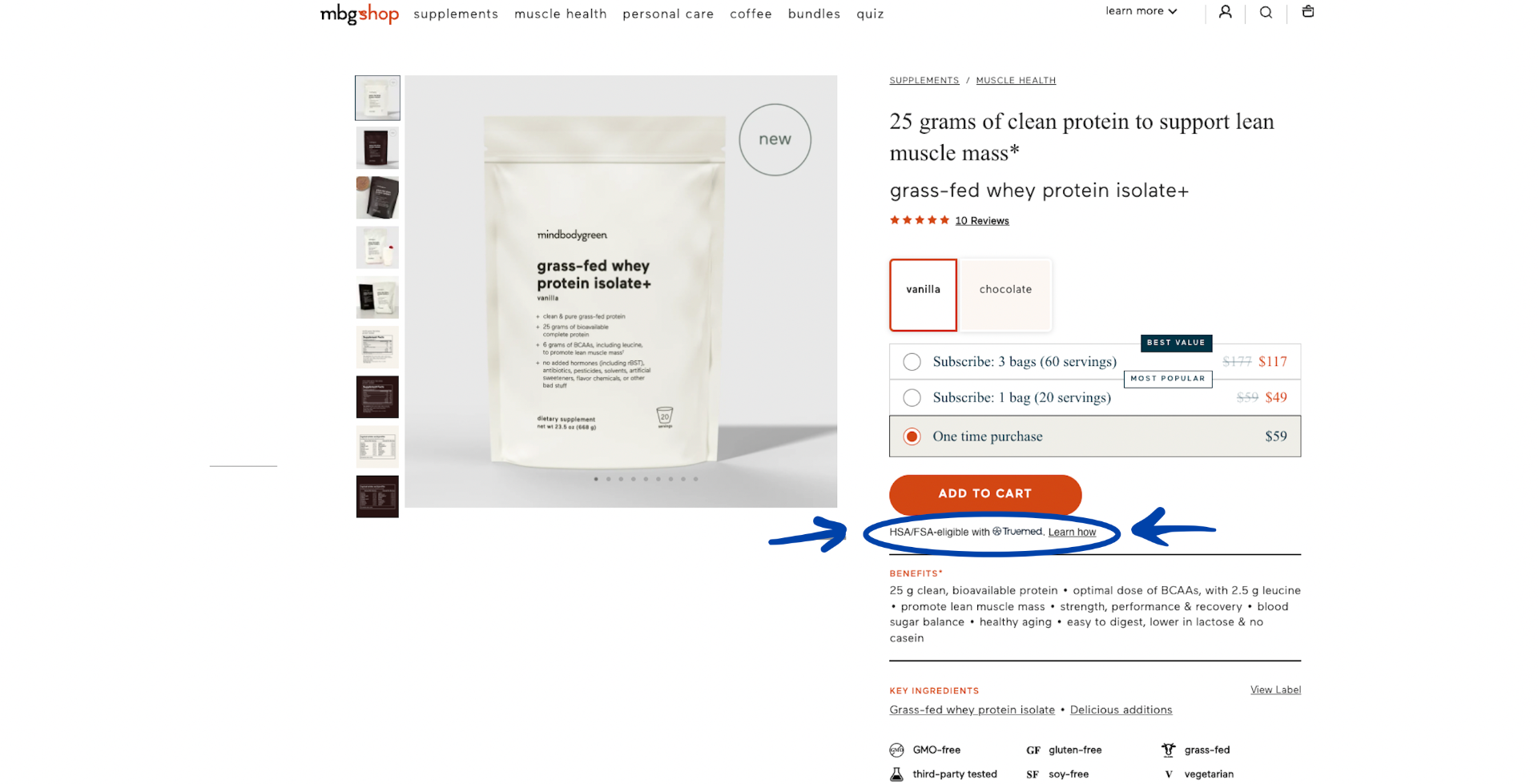
HSA/FSA eligibility widget on product page


Step 2

When they click on the “Learn How” button, this window will pop up to educate your buyer on how to receive reimbursement from their HSA/FSA administrators after purchasing from your site.
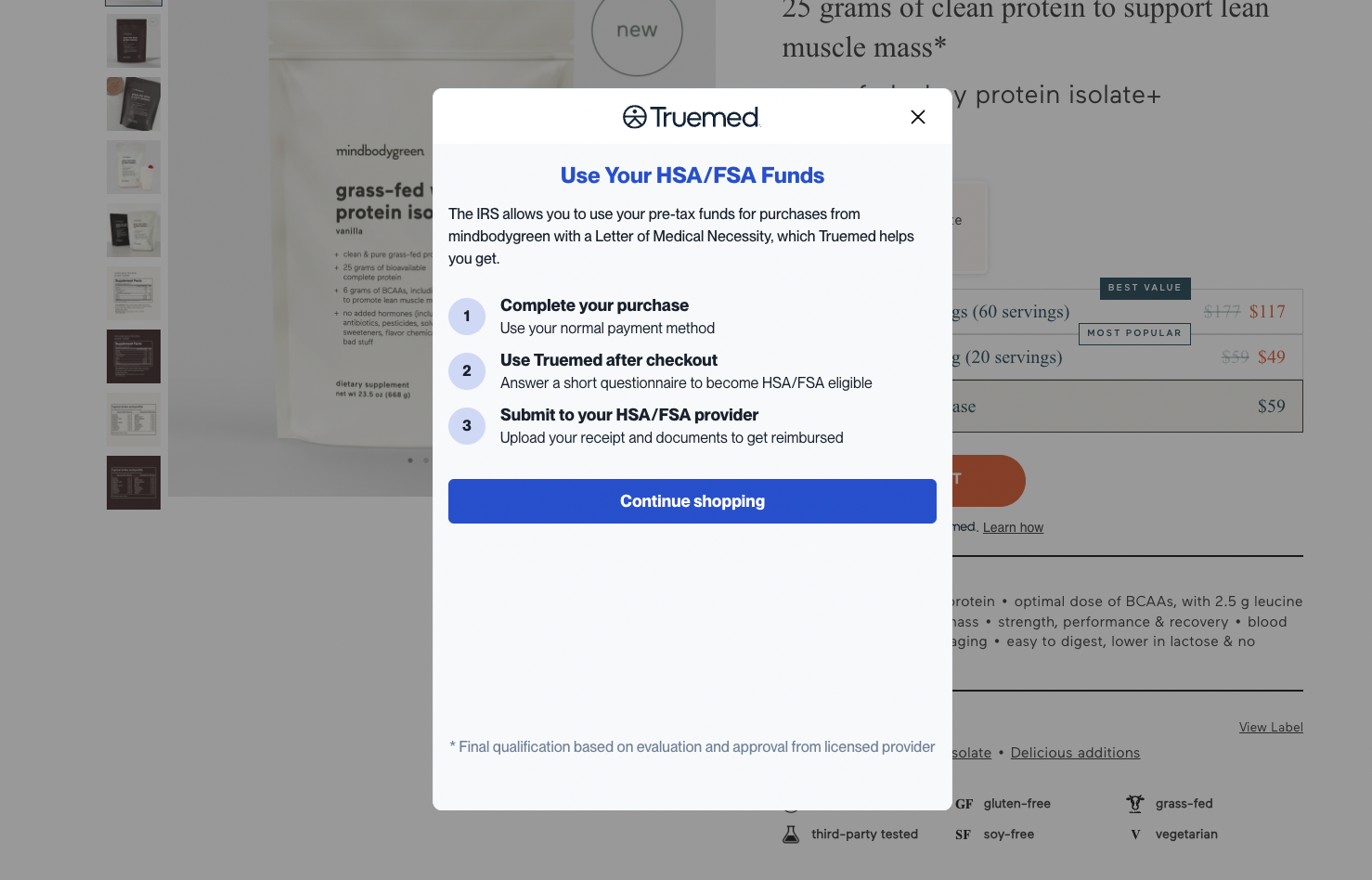
Learn How popup explaining HSA/FSA reimbursement


Step 3

After your customer has checked out with their normal credit card, they will see the below widget embedded on the “order confirmation” page.
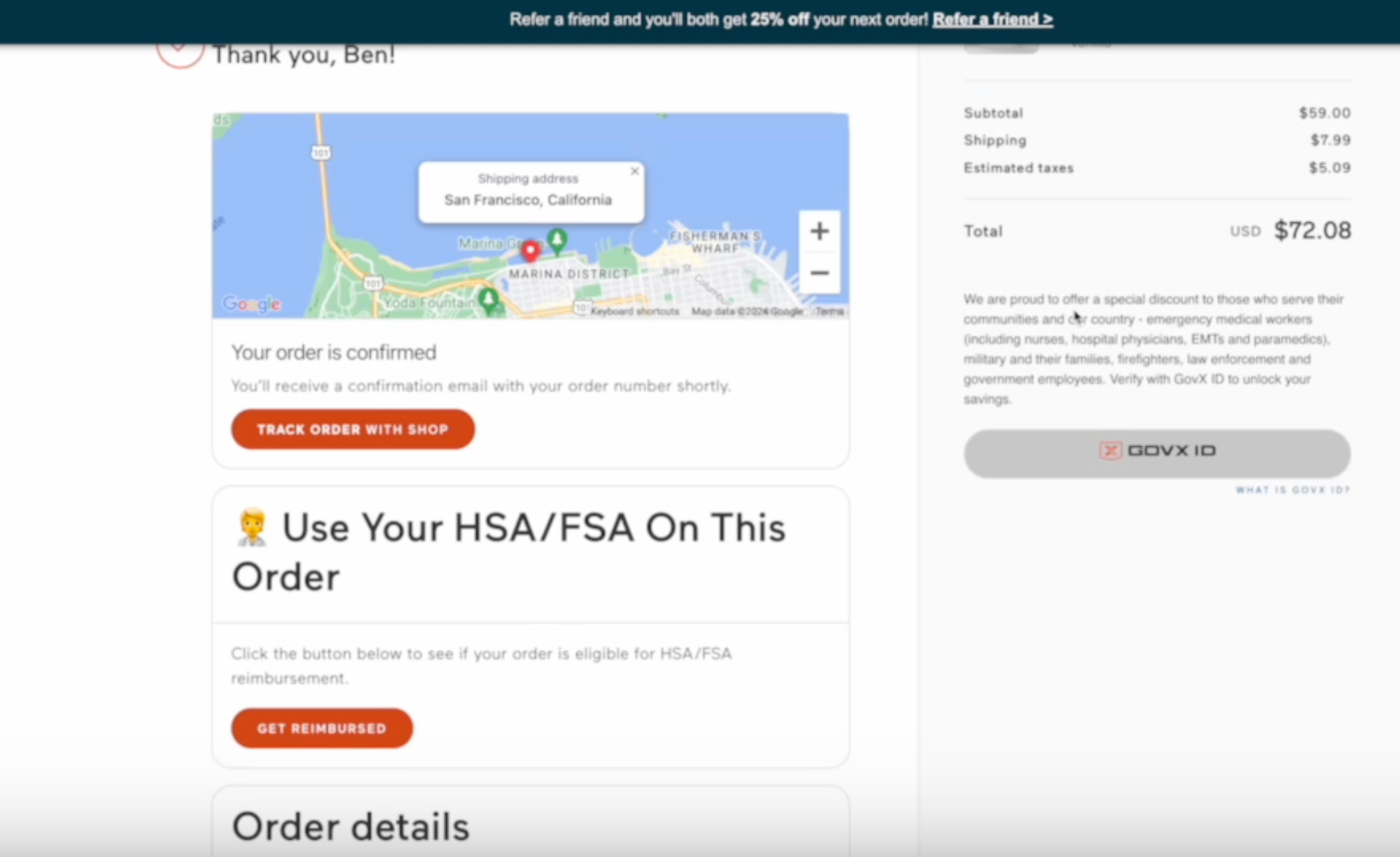
Order confirmation page with Truemed reimbursement widget


Step 4

After clicking “get reimbursed” on the order confirmation page, your customer will be prompted to take this HSA/FSA evaluation form to determine eligibility for HSA/FSA reimbursement.
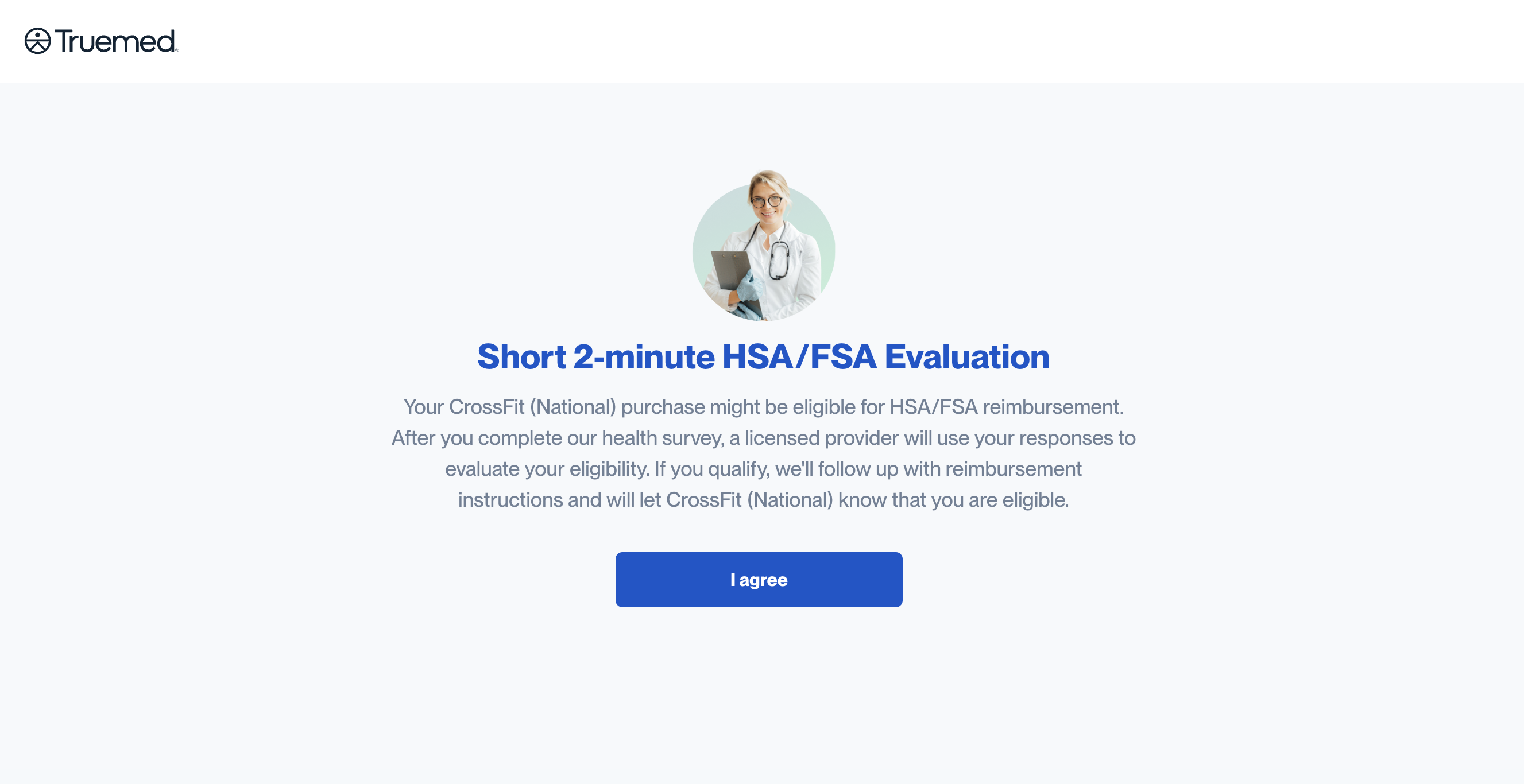
HSA/FSA evaluation form


Step 5

Once your customer has been pre-approved, one of our independent licensed providers will review their form and, if deemed appropriate, will issue and send over the Letter of Medical Necessity (generally within 24-48 hours). Your customers will receive their LMN in a letter that looks like this, along with instructions on how to reimburse themselves.
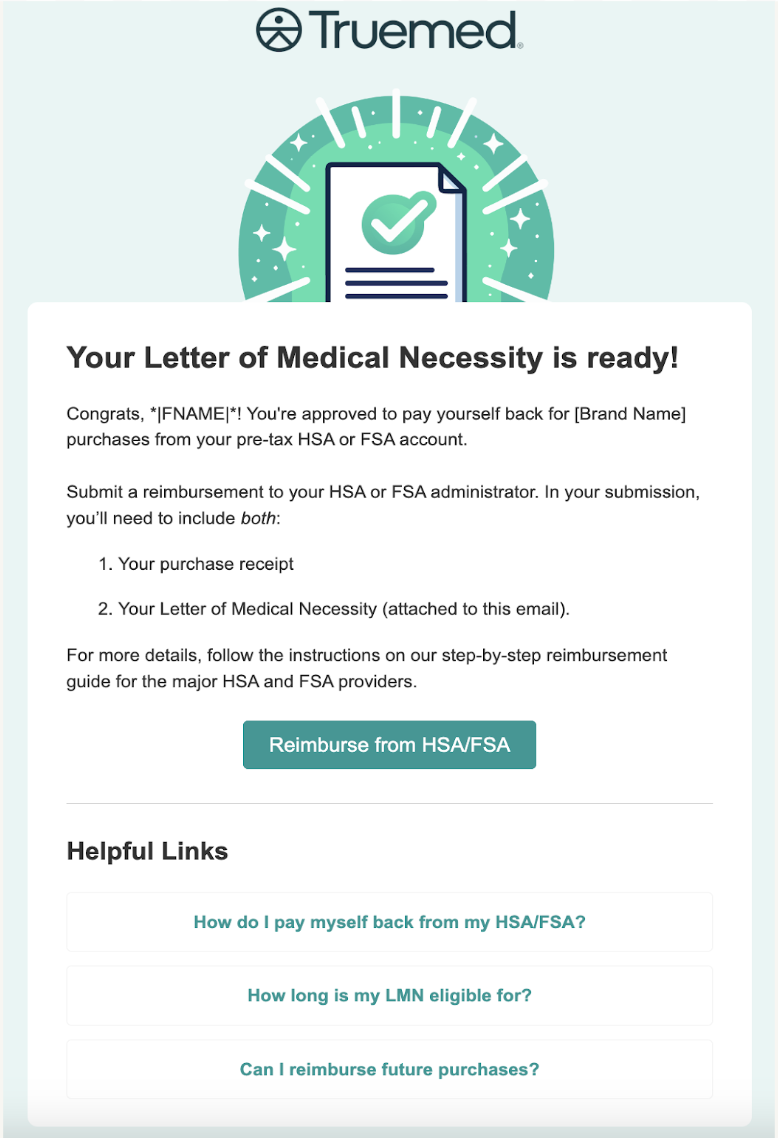
Letter of Medical Necessity example