
HSA/FSA Landing Page
HSA/FSA Landing Page
Best practices for creating an HSA/FSA educational landing page to drive traffic and increase conversion.

Why Create an HSA/FSA Educational Landing Page
A dedicated landing page explaining how to use HSA/FSA funds for your company’s products serves several purposes:
- Funnel traffic from marketing campaigns to the landing page (vs. the homepage) for attribution
- Provide clarity on the purchasing process to increase conversion
- Capture traffic that may be looking for HSA/FSA eligible products in your category
Landing Page Template
Below is an example landing page that incorporates best practices. We’ve also provided a figma file template with suggested copy to make it easy to create your own landing page.
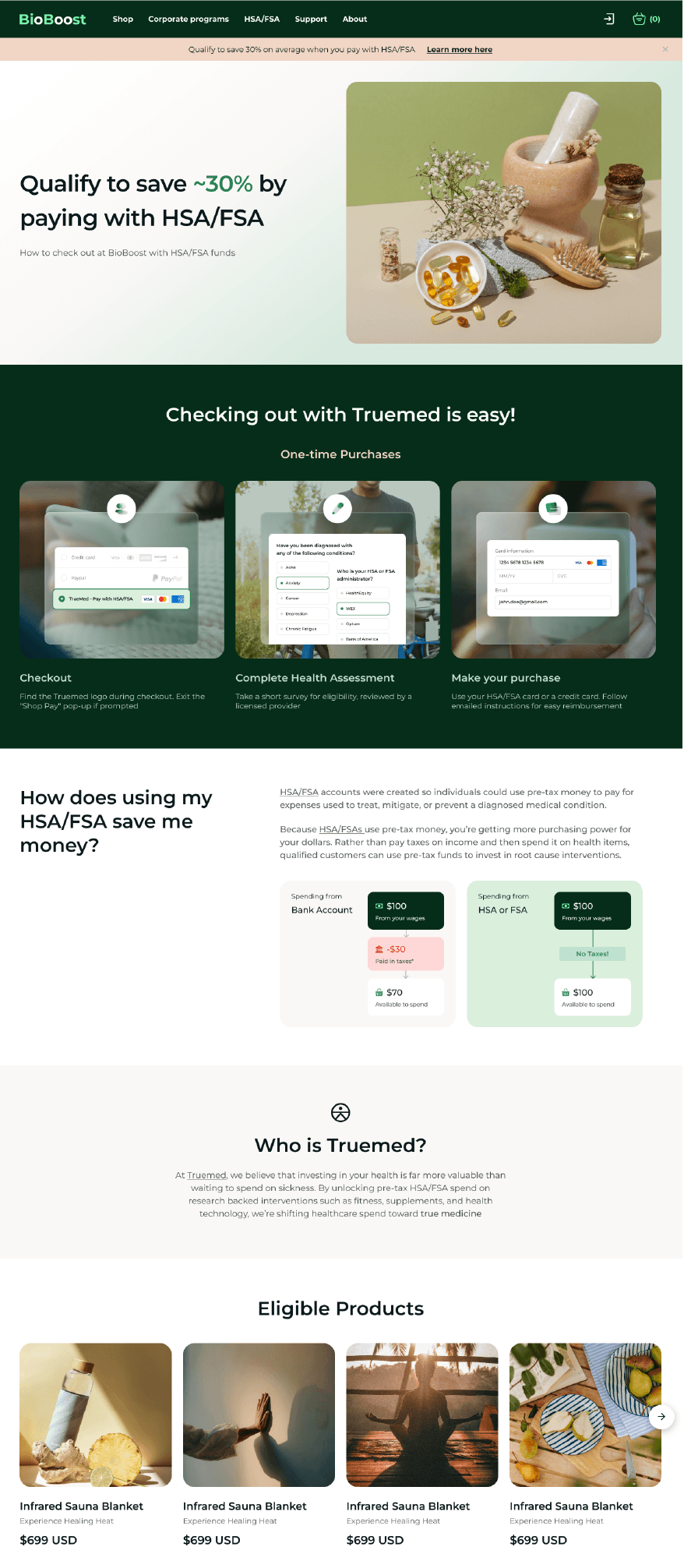
Figma File Templates
- Landing Page Template - For Shopify/Payment integration merchants who do not offer subscription products
- Landing Page Template - For Shopify/Payment integration merchants who do offer subscription products
- Landing Page Template - For Shopify/Payment integration merchants who only offer subscription products and use Truemed for reimbursements only (do not have the Truemed payment app installation)
Download Landing Page Assets here.
Additional Best Practices
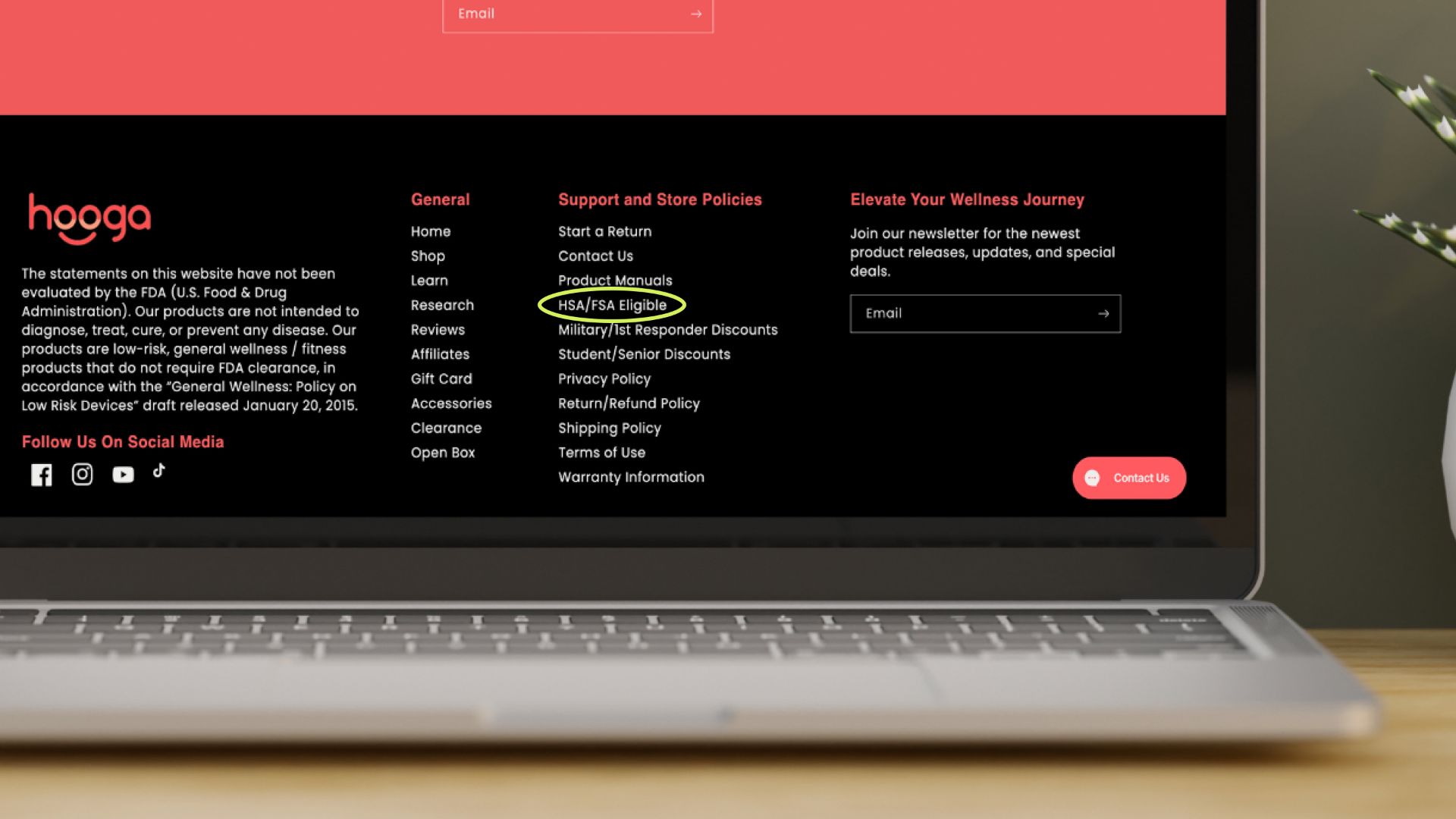
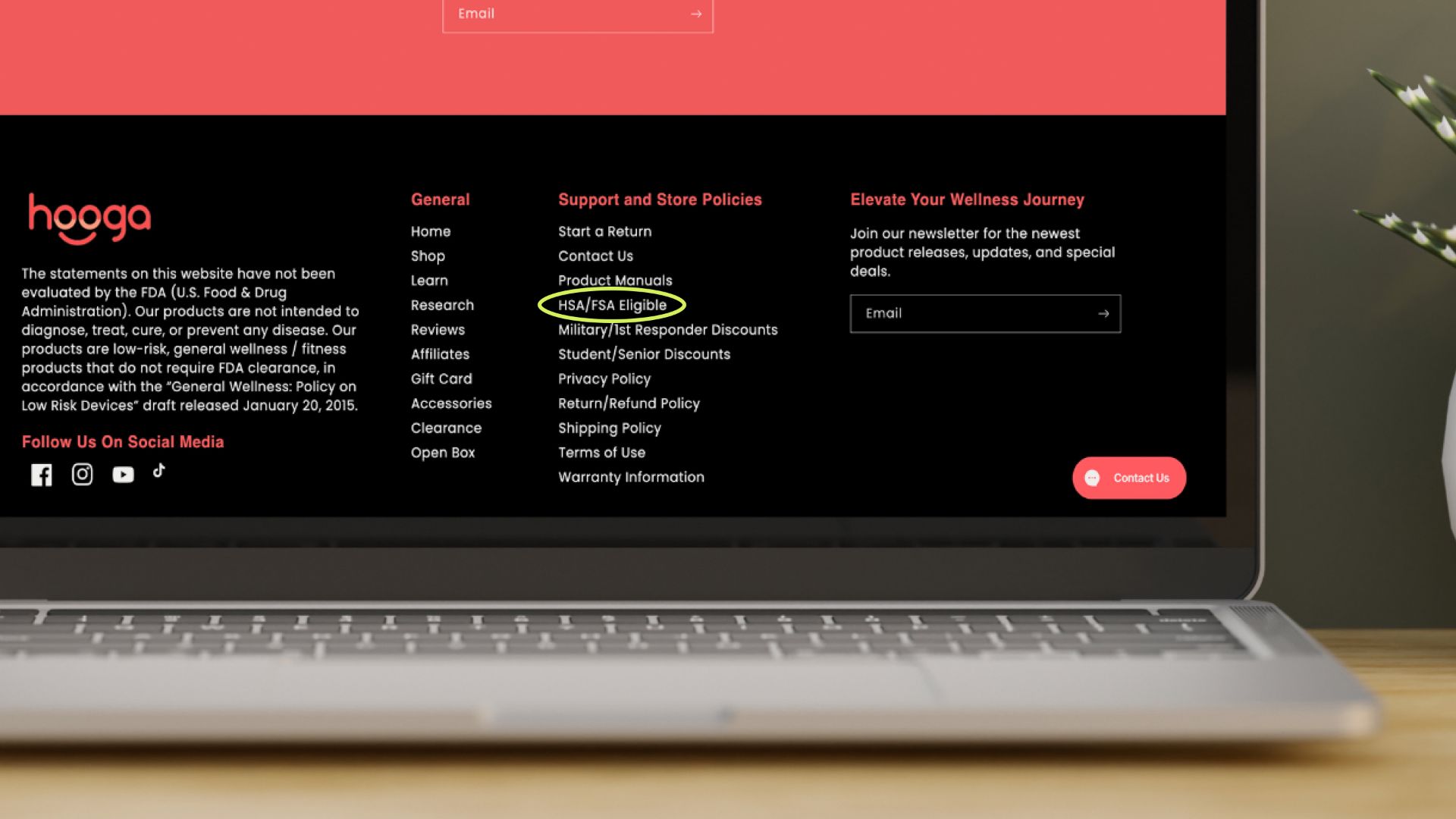
- Add your landing page to top (or bottom) navigation so customers are aware of HSA/FSA eligibility
- Be sure to include “hsa-fsa” in your landing page URL to maximize SEO
- Link to your landing page in the footers of marketing emails
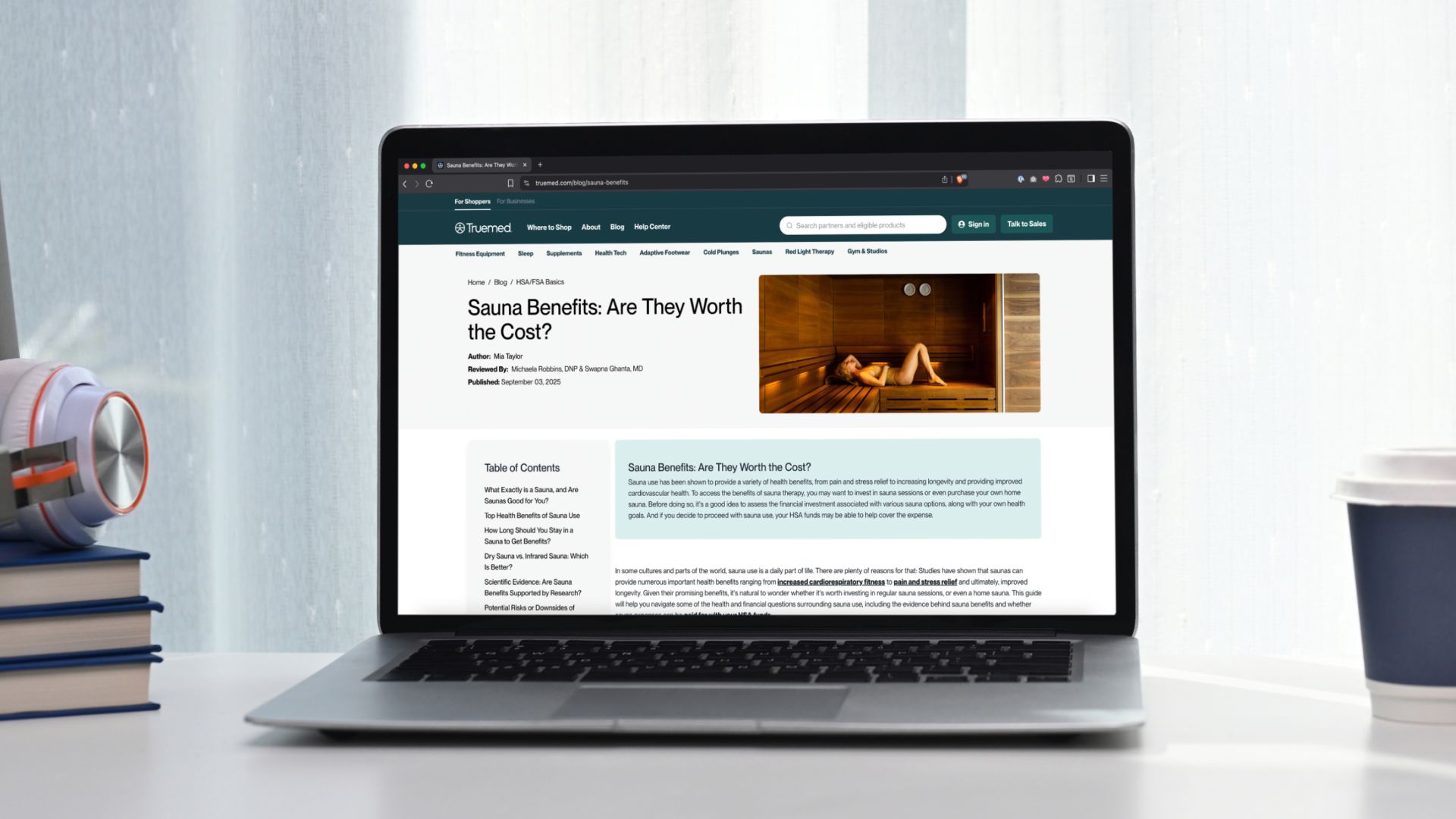
A Few Favorite Partner Landing Pages
Compliance Reminder
Following Truemed’s compliance guidelines protects customers from misleading claims and keeps your brand aligned with IRS/HSA/FSA rules, reducing the risk of ad rejections or takedowns. It also preserves trust and lowers the chance of disputes or chargebacks by setting accurate expectations about eligibility and savings.
Please include our compliance disclaimer on any HSA/FSA messaging:
*Truemed is for qualified customers. HSA/FSA tax savings vary. Learn more at truemed.com/disclosures
If the disclaimer is missing or if your ad copy is misleading, incomplete, or otherwise non-compliant with the law or your agreement with Truemed, we may ask you to update or remove the asset. If you’d like our team to review marketing assets prior to go-live, email us at merchants@truemed.com.
Need more guidance on what you can say about HSA/FSA? Review the Compliant HSA/FSA Messaging Guide and remember to add our required disclaimer with any savings claims.
Making Sure Your Landing Page is SEO Optimized
Want more traffic to your page — and in turn, more conversion? Follow this basic guide to help search engines understand your page and get more shoppers.
SEO Essentials
- URL — When building a page, use a short URL that includes the keyword and is less than 60 characters. Use hyphens to separate words, and keep the whole thing between 1-5 words. (e.g.
https://www.truemed.com/shop/red-light-therapy) - SEO Title — Add a title tag of 60 characters or fewer with the target keyword (e.g. “Best Red Light Therapy Devices”)
- Meta Description — Add a 130-140-character meta description that answers the main question. (e.g. “Shop HSA/FSA-eligible red light therapy devices for skin, pain relief & muscle recovery at Truemed.”)
Another example:
- SEO Title: [Brand] HSA/FSA Eligible Products
- URL:
/hsa-fsa-eligible-products/ - Meta: Buy HSA/FSA eligible items on [Brand]. Take a 2-minute health check with Truemed, then pay pre-tax and save ~30% on your purchase.
- Other Suggested Titles:
- HSA/FSA eligible items at [Brand]
- Is [Brand] HSA/FSA Eligible?
- How to Use Your HSA/FSA Card at [Brand]
- How to Save with HSA/FSA Funds at [Brand]
- Use Your HSA/FSA Card To Save an average of 30% on [Brand]
Answer The Main Question Above The Fold
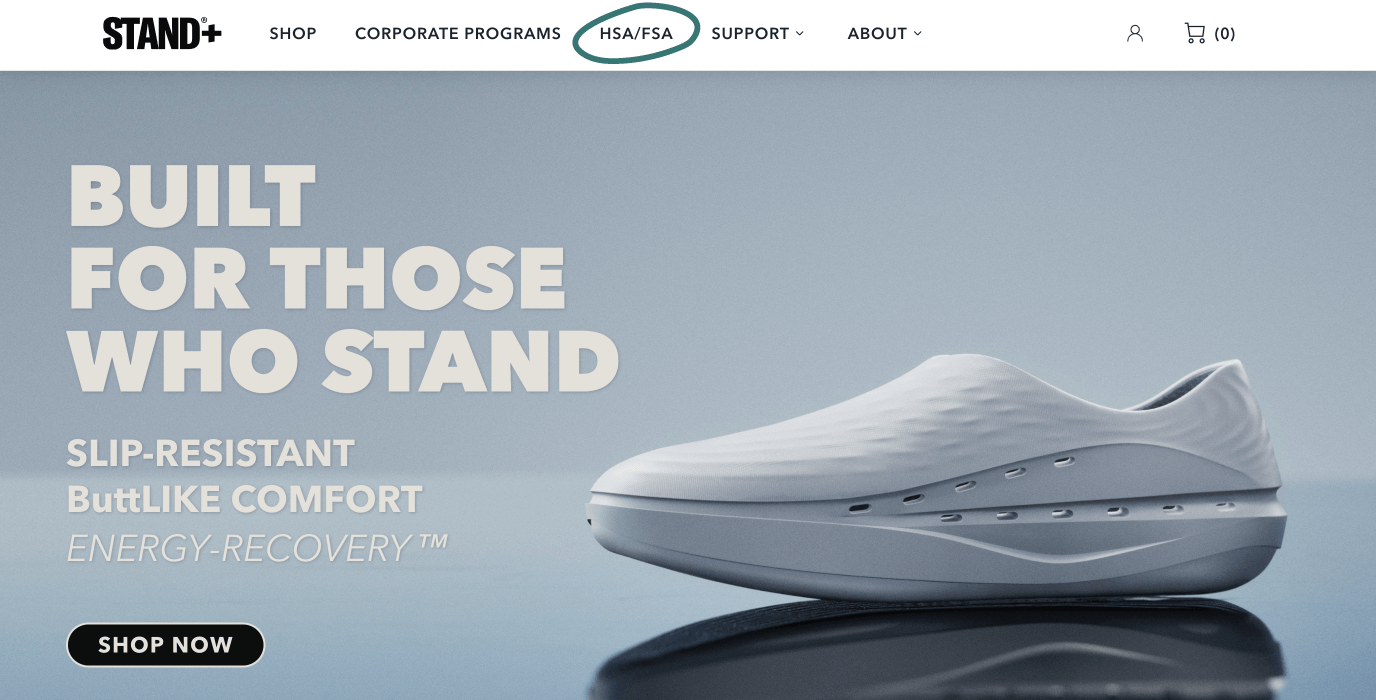
“Above the fold” means what shoppers see without scrolling, which includes the header image, H1 (headline) with the keyword, and sometimes a one-liner statement/answer about the page. Here are a couple examples with varying levels of detail.
Sample Format
- H1: HSA/FSA eligible items at [Brand]
- Each webpage should only have one H1 per page
- Subheadings (H2/H3/H4 and so on)
- Possible subtopics:
- What is HSA/FSA?
- How Truemed Works
- HSA/FSA Eligible Items
- FAQ
- Possible subtopics:
- [Brand] accepts HSA/FSA eligible items purchases through Truemed.
- Other samples:
- Use your HSA/FSA on eligible [Brand] items via Truemed.
- HSA/FSA is available at [Brand] for qualifying items through Truemed.
- Buy qualifying [Brand] purchases that are HSA/FSA-eligible with Truemed.
- [Brand] supports HSA/FSA payments on eligible items via Truemed.
- Other samples:
Add A Small FAQ Section
An FAQ section provides added service to your customers by answering common questions. It helps shoppers quickly find information, which can improve their likelihood to click and buy. Plus, it can improve how your page appears in search. Five to seven questions tends to be a good “sweet spot” to provide info without overwhelm.
Find FAQs to add to your page within our Figma Landing Page Templates.
Add Internal Links To Your Landing Page
How to do it:
- Add a link to the main navigation and/or footer.
- Link from relevant product pages, collections, and articles.
- Link from newsletters, social, and campaigns when talking about FSA/HSA, savings, or benefits.
Add A Link Back to Truemed
A short line that shows Truemed powers the flow, with a backlink to Truemed. This builds trust for shoppers and connects your page to an authoritative resource. The link should not be marked as sponsored or no-follow.