Order Confirmation Widget
Encourage HSA/FSA reimbursement immediately post-purchase with a confirmation page widget.
These instructions are specific to reimbursement implementations. They are not necessary to support the Truemed payment app.
Encourage HSA/FSA Reimbursement Immediately Post-Purchase
These instructions will help you include a link to qualification for HSA/FSA reimbursement on the post-purchase page of your online store.
For example, on a Shopify store, that looks like this:
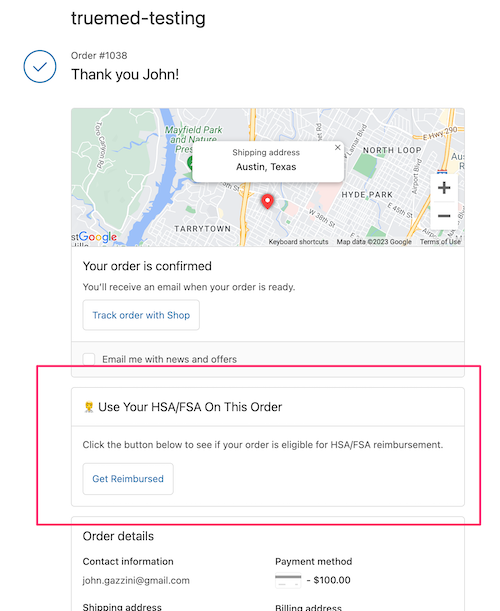
Truemed provides a custom widget to make this very simple for Shopify stores, but we also provide generic instructions below.
Shopify Instructions
-
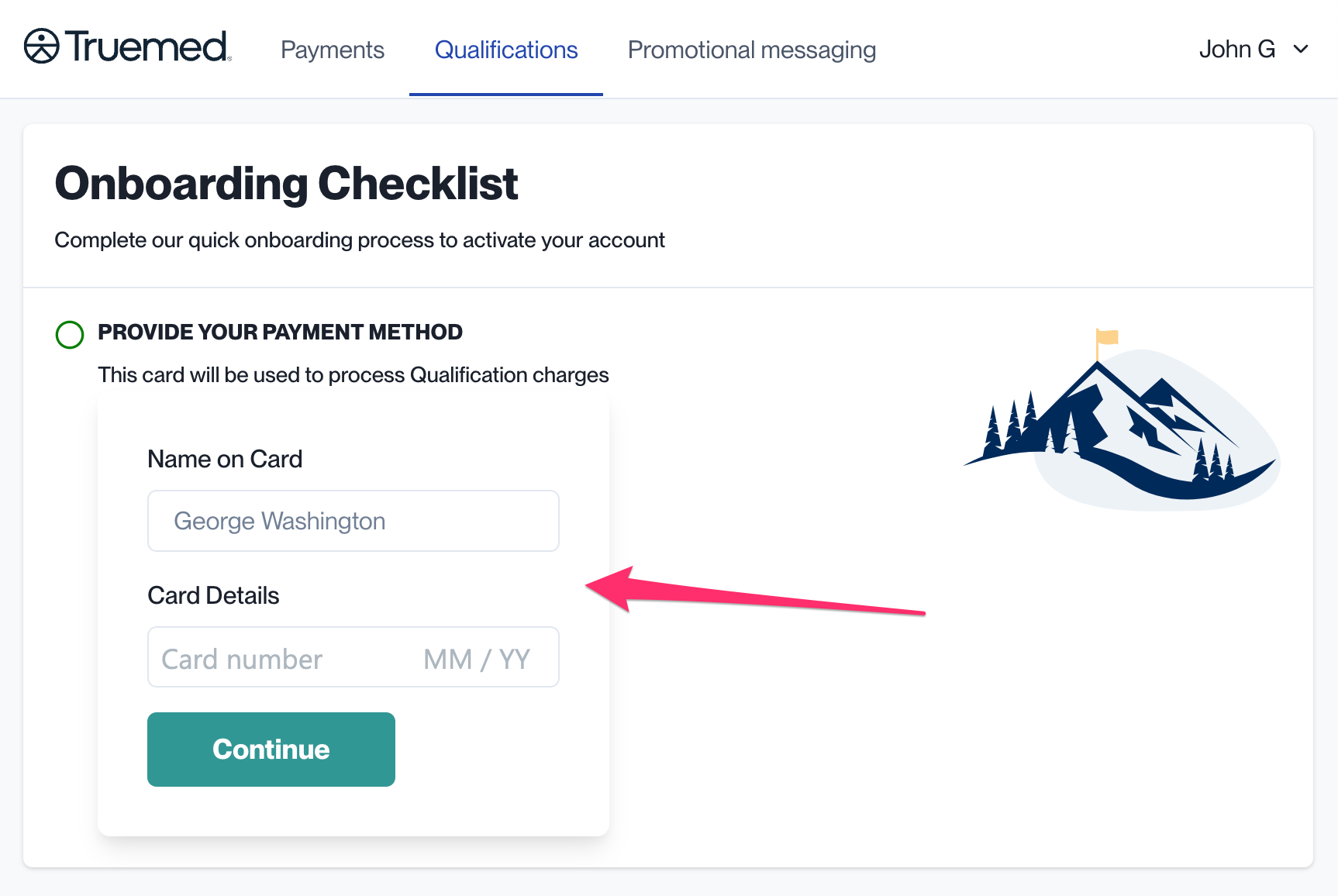
Locate your Qualification Link at app.truemed.com
-
On your Shopify admin panel, navigate to Settings > Checkout > Additional Scripts
-
Paste the following into the box for Order status page (remember to replace
YOUR_QUALIFICATION_LINKwith the link found in Step 1):
Non-Shopify Instructions
It’s also easy to add this CTA on any store:
-
Locate Your Qualification Link (same instructions as Step 1 above)
-
On your post-purchase page, add a CTA with the following code:
Need Help?
Contact merchants@truemed.com for any technical questions about the order confirmation widget.
